
Your taste. Your station.
Turn the music you love into a station your friends can tune into.
For iPhone. Apple Music required.
Free to listen and host. No ads.
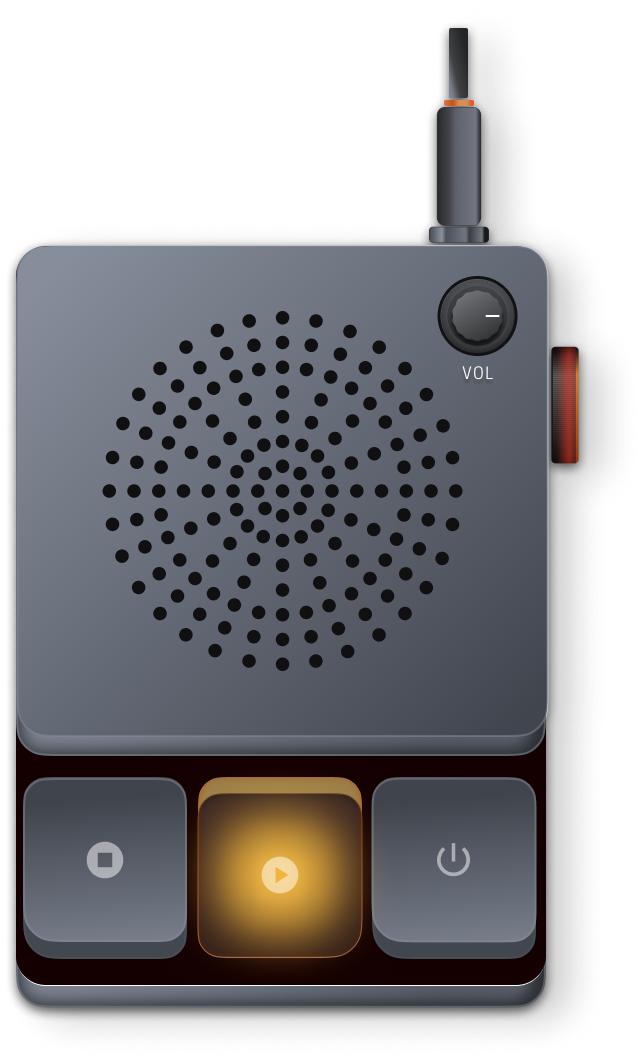
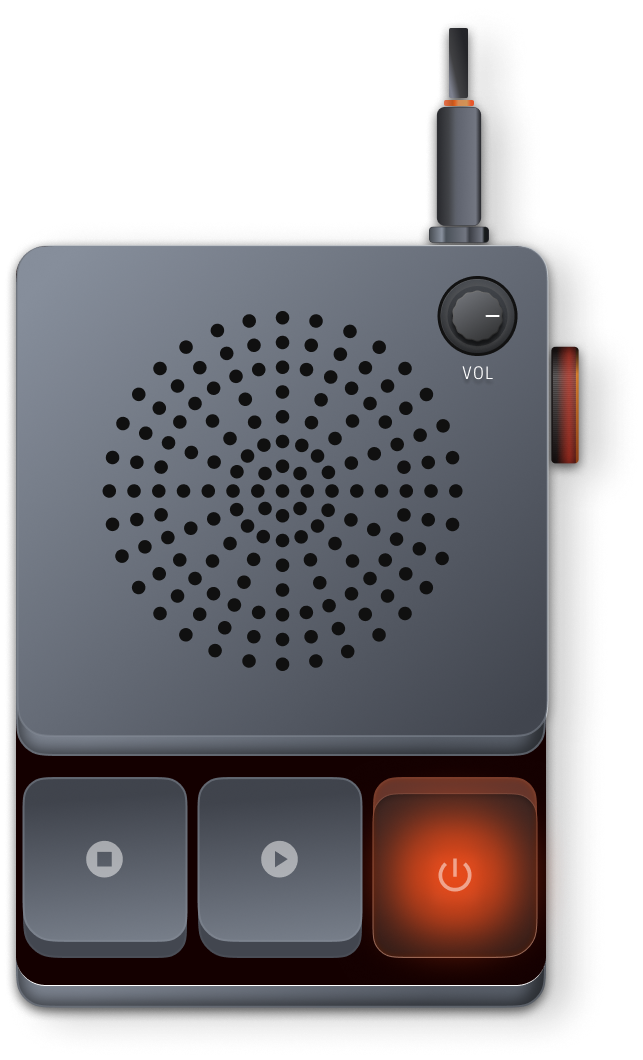
Three keys, three states
A station is a radio, not a playlist.
Build it off the air, in private. Put it on and it plays around the clock. Press power and you're live: friends who tune in hear what you hear, this very second.
For the friend who always has a song to share. And the friend who trusts their taste.
Press the keys.
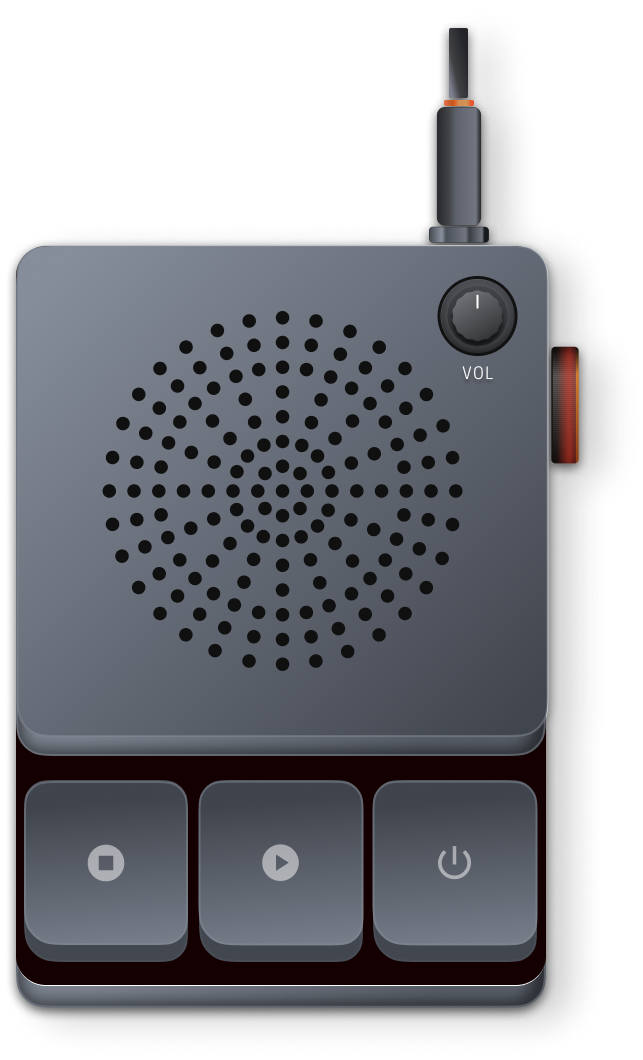
Off the airBuild it in the Studio and listen in private. Nobody can tune in yet.
Always onYour station plays around the clock, whether you're there or not.
On the airFriends who tune in hear what you hear, this very second.
For listeners
Great music. Picked by friends.
Tune into your friends' stations and find something new to love. Every station carries its host's name, their picture and their taste. Your next favorite could be on one of them.
When you tune in you don't start the song over. You land where the station already is, and stay in step from there.
- Maya1:42
- YouNot tuned in
Midnight, Kai's station. Kai is live right now.
Same song. Same moment. Join a station right where it's playing, and listen along with everyone tuned in.
Good taste gives you a reason to return. A station keeps playing while its host is away.
The music in this preview is Johann Flores’s own: “Let the Long Day Linger” on Golden Hour, “Lose the Night” (from Headroom) on Midnight, “Don’t Go Yet” (from Lossless) on Borderless. In the app you hear the station's real songs through Apple Music.
The story behind the song.
A dedication. A memory. A reason this one matters. Add a short recorded introduction and let people hear the person behind the picks.
Up to 30 seconds, recorded in the app when you have something to say. Put a little music under it if you like. It plays to everyone on your station, right before the song.
“This one made me think of you.”
Then the song starts.
For hosts
Be someone's favorite station.
Build a program in the Studio: songs in your order, a word from you where it fits. Listen to it before anyone else. Send it to your Station and put it on the air.
Your station plays around the clock. While you're listening to it yourself, you're live, and friends see the red lamp. Step away and it carries on without you.
A program is a set of songs in your order, with a word from you where it fits.
- 01Track 01 example3:52
- 02Track 02 example · with your recorded hello4:10
- 03Track 03 example3:31
Studio · step 1 of 6
The Studio
Where a station gets made.
Radio prepares, then broadcasts. The Studio is the production room; the Station is where it goes on the air.
A program is a set of songs in the order you want them, with a recorded word from you before any of them. Make as many as you like.
A program plays anytime, looping on the turntable, or at a time you set, once or every week. Friends who follow you are told when it starts.
Hear a program on your phone alone before anyone else does, even while another one is playing to your friends.
How it works
- 1Build a program.
In the Studio, from Apple Music. Listen to it, then send it to your Station and put it on the air.
- 2Share your station.
Friends follow it by link, QR code or handle, and tune in wherever the song is.
- 3Play through Apple Music.
Each listener uses their own subscription. Airshift never sends, stores or records the music.
A song that isn't available in your country is skipped for you alone; the station carries on.
Music with friends. Room to yourself.
- No ads, no analytics.
- No separate sign-up: your iCloud account is your identity, and you pick a handle.
- Airshift never asks for your contacts. Friends are added by link, QR code or handle.
- Your handle, your station and the fact that you're tuned in are visible to other people, because that's the point. Listen quietly when you'd rather not be.
Read the privacy policy. It's short and says exactly what's stored.
Free to listen and host.
Make it yours with a one-time upgrade.
- Tune into friends' stations
- Host your own station
- Three recorded introductions
- Invite by link and QR code
- Your own cover: your photo, or one made on your phone
- Unlimited recorded introductions
- Everything in Free
Apple Music is required either way: the upgrade is for Airshift, not for the music.
Where we're headed
Find your people through their music.
Today it starts with a station and the friends you invite. A host can also choose to let people they don't know find their station, and a few of those we've picked by hand appear in the app. We're exploring more ways to discover people whose taste you love, without ever tracking what you listen to.
Questions
Do I need Apple Music?
Yes, and so does everyone who tunes in. Airshift doesn't carry the music; each phone plays it from its own subscription.
Is there an Android or web version?
Not now. Airshift is for iPhone.
Can I talk live over the music?
No. You record short introductions, up to 30 seconds, on the songs of a program; they play right before the song. Being live means you're listening to your own station and can move it to the next song for everyone.
What is a program?
A set of songs in the order you want them, with a recorded word from you where it fits. You build it in the Studio and send it to your Station when it's ready. A station can hold as many as you like.
Can I hear it before anyone else?
Yes. Listen, in the Studio, plays a program on your phone alone, from the top. Nothing is announced and nobody can tune in. That works even while another program is on the air.
Can a program play at a set time, or every week?
Yes. Give it a time in its settings, once or weekly. It plays once through at that time, then your station goes back to what was on. Friends who follow you are told when it starts.
Does my station stop when I put my phone down?
No. Once you put it on the air, a station keeps playing around the clock. Friends can tune in whether you're there or not; the red lamp only shows while you are.
How do friends find my station?
Send them your link, myairshift.com/s/yourhandle, or show them the QR code in the app. They can also look you up by handle. Airshift never reads your contacts.
Can strangers find my station?
Only if you say so. There's a switch in your station, off unless you turn it on, that lets it be shown to people who don't know you. Nothing else changes: who's listening stays as private as before, and there are no counts or rankings.
Someone's station is offensive. What can I do?
Every station has Report and Block in its menu. Reports are reviewed within a day.
Why did a song get skipped for me?
It isn't sold in your country's Apple Music catalogue. Everyone else keeps hearing it; you rejoin at the next song.
I tapped a friend's link and it opened this website.
That happens when Airshift isn't installed. Get the app, then tap the link again.
Make your taste someone's next discovery.
Start a station. Tune into a friend. See where the music takes you.
For iPhone. Apple Music required.